

A kids smartwatch might offer GPS tracking, 4G calling, and parental controls, but those features are only useful if they fit your family's daily routine. Before buying, it helps to understand how the watch connects, what it costs to use, and whether your child can operate it easily.
Two watches with similar features can offer very different experiences. One may have a sharper screen and better camera, while another focuses on battery life. SIM compatibility and location accuracy can also make a big difference.
This kids smartwatch buying guide covers seven things parents should check before choosing a watch, along with practical tips and a comparison of LAGENIO models.
Does Your Child Need a Smartwatch?
A smartwatch may be useful when your child starts spending more time at school, attending after-school activities, or visiting relatives without you.
It gives children a way to contact trusted adults without needing their own smartphone. Parents can also use supported location and communication features to stay informed during everyday routines.
However, not every child needs one. Think about how often your child needs to contact you, whether they can follow basic calling rules, and if they're ready to take care of a wearable device.
If a smartwatch makes sense for your family, start with these seven checks.
Kids Smartwatch Buying Checklist
Use this checklist to compare watches before making a decision.
| What to Check | Why It Matters |
|---|---|
| Calling & Messaging | Your child should be able to reach approved contacts easily. |
| GPS & Safe Zones | Location accuracy and alerts depend on the environment and connection. |
| SIM Compatibility | The watch needs a compatible mobile provider and plan. |
| Battery Life | The battery should fit school days and after-school activities. |
| Water Resistance | Rain, splashes, and swimming require different levels of protection. |
| Parental Controls & Class Mode | Manage approved contacts and reduce distractions during lessons. |
| Comfort & Ease of Use | Your child needs to wear and operate the watch comfortably. |
Not Sure Which Kids Smartwatch to Choose?
If you already know what matters most to your family, here's a quick way to narrow down your options.
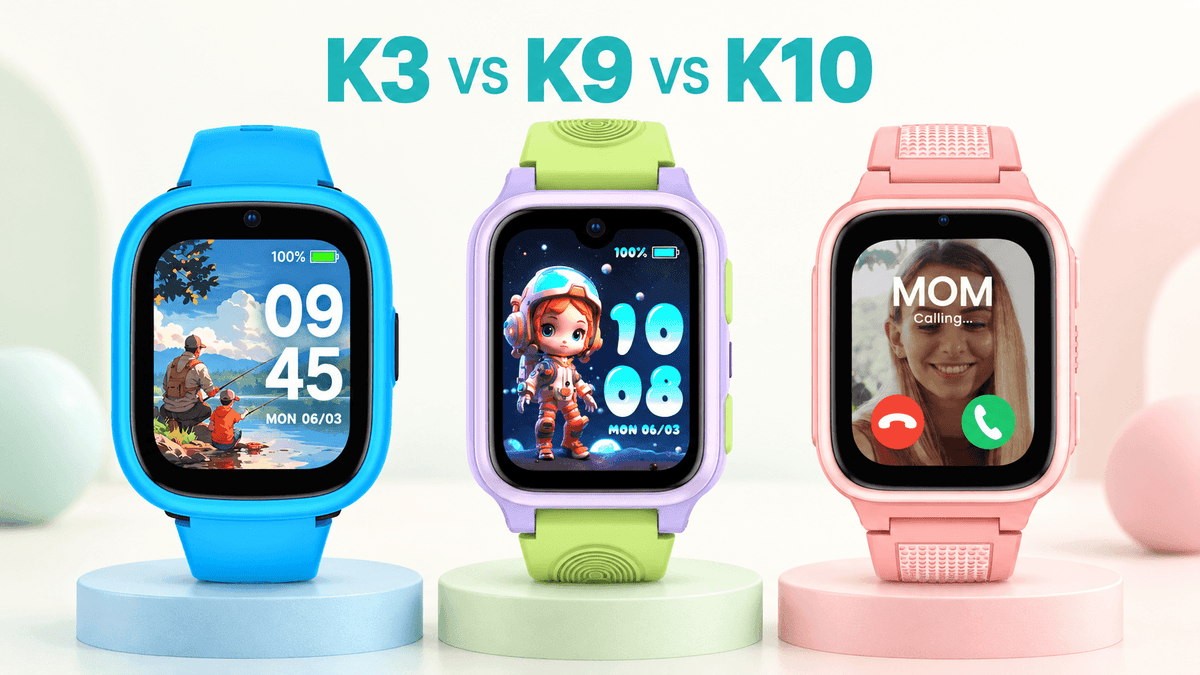
- For a first smartwatch: LAGENIO K3 focuses on calling, location features, and simple everyday use.
- For battery capacity: LAGENIO K10 offers a 950mAh battery and essential connected features.
- For a better screen and camera: LAGENIO K9 combines an AMOLED display, 5MP camera, and NIO AI.
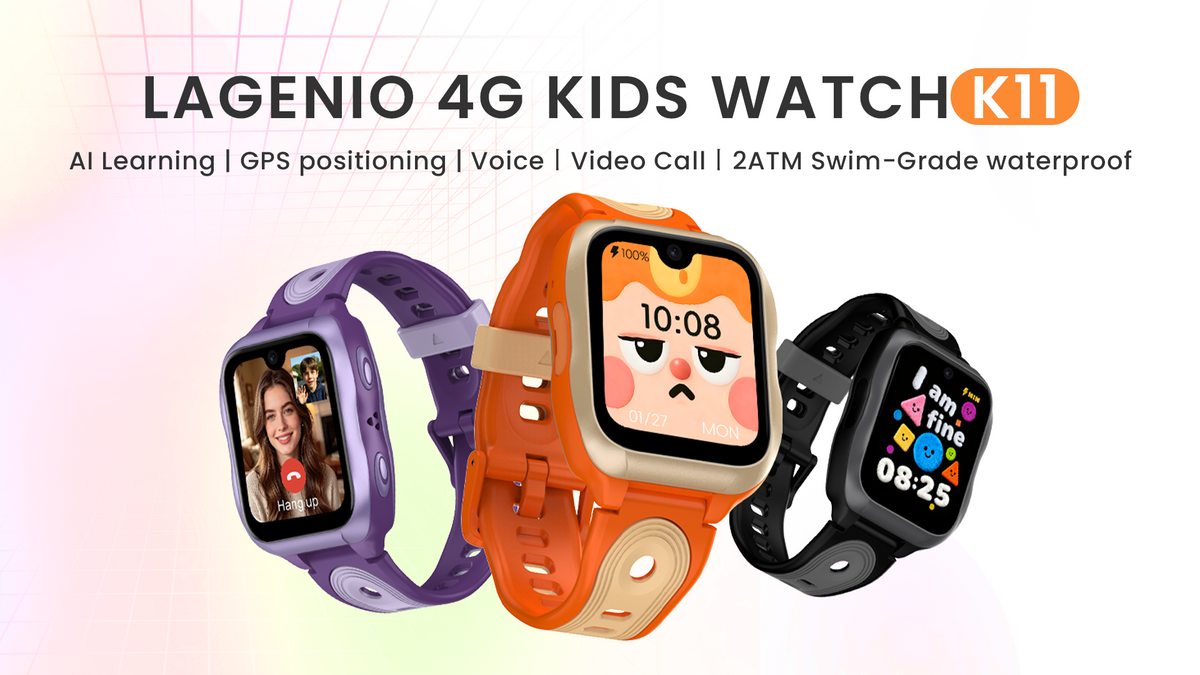
- For swimming support and advanced features: LAGENIO K11 adds 2ATM water resistance, upgraded AI, and expanded communication options.
Availability varies by market. For example, K10 is not currently sold in the United States. Check the regional product options before ordering.
Not sure which features matter most? The seven checks below will help you decide.
1. Check Calling and Messaging Features
For many families, calling is the main reason to buy a kids smartwatch.
Imagine your child's football practice finishes early. They should be able to call you without borrowing someone else's phone or searching through complicated menus.
However, not every smartwatch handles communication in the same way.
4G Calls, Internet Calls, and Video Calls
A 4G smartwatch can make regular cellular calls when it has a compatible SIM card, an active voice plan, and suitable network coverage.
Internet-based calls use Wi-Fi or mobile data. Video calls also need a suitable data connection, and quality can vary with network conditions.
When comparing models, check which features are available:
- 4G voice calls: Regular phone calls through a compatible mobile plan.
- Internet voice calls: Calls using Wi-Fi or mobile data.
- Video calls: Face-to-face conversations when the connection is strong enough.
- Messaging: Voice messages, text, or pictures, depending on the watch.
LAGENIO watches support different communication options by model. For example, the K9 supports voice messages but cannot send or receive pictures through its messaging feature. The K11 offers expanded messaging options.
Can Parents Control Who Calls?
Children don't necessarily need a large contact list. For many families, being able to reach parents, grandparents, and a few trusted adults is enough.
Look for a watch that allows parents to approve and manage contacts through a companion app.
Before purchasing, decide who your child needs to contact and confirm that the watch supports the communication methods your family will use.

2. Understand GPS Tracking and Safe Zones
GPS tracking is useful, but parents should understand its limitations before relying on it.
Many kids smartwatches combine different positioning technologies, including GPS, Wi-Fi, and cellular-based location estimates.
GPS, Wi-Fi, and LBS: What's the Difference?
- GPS: Uses satellite signals and generally works best outdoors with a clear view of the sky.
- Wi-Fi positioning: Estimates location using nearby Wi-Fi networks. Accuracy depends on the available location data.
- LBS: Uses cellular network information to estimate a location, sometimes across a much larger area.
Inside buildings, underground, or between tall structures, GPS signals may be weaker. The watch may use another positioning method and display a less precise result.
Location updates also depend on network conditions and device settings. A GPS-enabled smartwatch cannot guarantee an exact, continuously updated location.
How Do Safe Zones Work?
Safe Zones, also called geofences, allow parents to set virtual boundaries around places such as home or school.
Depending on the watch, the companion app can notify parents when the device enters or leaves the selected area.
These notifications may be delayed, particularly when location signals or mobile connectivity are weak.
Test GPS After Setting Up the Watch
Once the watch is connected, try a simple location test:
- Take the watch outdoors where it has a clear view of the sky.
- Open the parent app and request a location update.
- Compare the reported location with the watch's actual position.
- Repeat the test indoors to see how the result changes.
- If you use Safe Zones, check how notifications behave around a familiar location.
This gives you a better understanding of location tracking in the places your child visits regularly.
3. Check SIM Compatibility and Ongoing Costs
A smartwatch can have all the communication features you want and still be frustrating to use if the SIM card isn't compatible.
That's why it's important to check mobile connectivity before buying the watch or activating a plan.
Does a Kids Smartwatch Need a SIM Card?
For regular cellular calls and mobile data away from Wi-Fi, a watch needs a compatible mobile connection.
LAGENIO K3, K9, and K10 use a physical 4G Nano SIM. K11 also uses a physical Nano SIM. These watches do not support eSIM, and a suitable plan should include both mobile data and regular voice calling.
Other brands may use eSIM or require a dedicated subscription, so check the requirements of the exact watch you're considering.
Why Does the Mobile Provider Matter?
Some mobile providers operate their own networks. Others, known as mobile virtual network operators (MVNOs), use another company's network.
For example, a SIM advertised as using the EE network isn't necessarily issued directly by EE. Network settings and compatibility may differ.
For LAGENIO watches, we generally recommend using a SIM issued directly by a major local mobile carrier when possible.
Compatibility still varies by watch model, country, and provider. A SIM confirmed for K9 should not automatically be assumed to work with K10 or K11.
Check LAGENIO SIM Card Compatibility before purchasing a mobile plan. The published carrier lists cover specific models, so K11 carrier compatibility should be confirmed separately.
A Quick SIM Checklist
Before ordering a SIM, confirm:
- The exact watch model and regional version
- The country where the watch will be used
- The actual SIM provider, not just the network it uses
- Support for compatible 4G mobile data and voice calling
- Activation fees, monthly costs, and any roaming restrictions
If your preferred provider isn't listed as compatible, contact LAGENIO support before activating a long-term plan.
How Much Does a Kids Smartwatch Cost to Use?
Remember to include mobile service when comparing prices.
First-year cost = Watch price + SIM activation fee + 12 months of mobile service
Some providers offer monthly plans, while others have prepaid options. Check the data allowance, voice calling terms, and contract conditions.
LAGENIO does not require a dedicated LAGENIO mobile subscription. You can choose a compatible SIM and plan, which gives families more flexibility over their ongoing costs.
4. Consider Battery Life in Everyday Use
Battery life becomes important when your child wears a watch throughout the school day and during activities afterward.
However, battery capacity alone doesn't tell you exactly how long a smartwatch will run.
Actual battery life depends on factors such as:
- Cellular signal strength
- GPS update frequency
- Screen brightness and usage
- Voice and video call duration
- Wi-Fi and mobile data activity
The LAGENIO K10 has a 950mAh battery, compared with 700mAh in the K9. K10 is designed with longer battery life in mind, while K9 offers a sharper AMOLED display and a higher-resolution camera.
If your child mainly needs calls, location features, and AI learning support, K10 may be the more practical choice. If display quality and video calls matter more, K9 may be worth the trade-off.
For a closer look at these differences, read our LAGENIO K9 vs K10 comparison.
Whichever model you choose, a regular charging routine helps ensure the watch is ready for the next day.
5. Choose Water Resistance for Your Child's Activities
Children may wear their watches while washing their hands, playing outdoors, or getting caught in the rain. Some also want to wear them while swimming.
Water-resistance ratings matter because not every watch is suitable for the same activities.
IP68 vs. 2ATM
IP68 describes protection against dust and water immersion under specified test conditions. It does not automatically mean a smartwatch is suitable for swimming.
ATM ratings relate to water-pressure resistance, but they shouldn't be treated as safe diving depths. A 2ATM rating, for example, does not mean a watch is suitable for diving 20 meters underwater.
The LAGENIO K11 offers 2ATM water resistance and is designed for normal pool swimming within its stated usage guidelines.
Parents should still follow the manufacturer's instructions. Hot water, diving, strong water pressure, and damage to seals can affect water protection.
If swimming is important to your family, choose a model with explicit swimming guidance rather than assuming any IP68 smartwatch is suitable for the pool.
6. Review Parental Controls and Class Mode
A kids smartwatch should make it easy for children to stay connected without adding unnecessary distractions to their day.
Before choosing a watch, check what parents can manage through the companion app. Useful features may include:
- Parent-approved contacts
- GPS tracking and Safe Zones
- Class Mode schedules
- Reminders and alarms
- SOS and emergency contact settings
How Does Class Mode Work?
Children need to focus during lessons, not on incoming calls or watch notifications.
LAGENIO's Class Mode allows parents to set periods when non-essential watch functions are restricted, helping reduce distractions during school hours.
The SOS function remains available while Class Mode is active, so children can still use it when they need emergency assistance.
When comparing kids smartwatches, check whether Class Mode can be scheduled through the parent app and which functions remain accessible during lessons.
What About Social Media and Internet Access?
For families who aren't ready to give their child a smartphone, unrestricted internet access and social media can be important concerns.
LAGENIO kids smartwatches focus on family communication and built-in features, without social media apps, an open web browser, or unrestricted third-party app downloads.
Parents should still use secure app accounts, keep software updated, and review the manufacturer's privacy information.
7. Make Sure the Watch Is Comfortable and Easy to Use
A smartwatch won't be particularly useful if your child finds it uncomfortable or difficult to operate.
Consider the case size, strap fit, screen readability, and how easily your child can find important functions.
A secure, adjustable strap matters for active children. The watch should feel comfortable without being too loose or too tight.
Try a Simple First-Day Test
After setting up the watch, ask your child to:
- Find a parent or trusted adult in the contact list.
- Make a call without assistance.
- Answer an incoming call.
- Find the SOS button and explain when to use it.
- Put on the watch and adjust the strap comfortably.
If you test SOS, arrange the test with the relevant contacts beforehand to avoid an unnecessary emergency response.
These checks can reveal more about everyday usability than a long list of specifications.

Which LAGENIO Kids Smartwatch Should You Choose?
Once you know what matters most, choosing between models becomes easier.
Rather than looking for the watch with the most features, consider which differences your child will actually notice.
| Model | Best Fit | Main Trade-Off |
|---|---|---|
| K3 | First smartwatch and essential communication | No NIO AI or AMOLED display |
| K10 | Battery-focused everyday use | More basic TFT screen and 0.3MP camera |
| K9 | AMOLED display, better camera, and AI | Smaller battery than K10 |
| K11 | Swimming support and advanced features | More features than some families may need |
LAGENIO K3: For a First Smartwatch
The LAGENIO K3 covers the essentials: 4G communication, GPS location support, SOS, and Class Mode.
It makes sense if your child mainly needs to contact family members and use basic location features. You don't have to pay for a more advanced screen or AI features if those aren't priorities.
LAGENIO K10: For Families Who Prioritize Battery Life
The LAGENIO K10 offers a 950mAh battery, 4G calling, GPS, and NIO AI.
Choose K10 if battery life and practical daily features matter more than having an AMOLED display or a higher-resolution camera.
K10 is not currently sold in the United States, so check regional availability before considering it.
LAGENIO K9: For a Better Screen and Camera
The LAGENIO K9 features a 1.78-inch AMOLED display, a 5MP camera, and NIO AI.
It's worth choosing over K10 if your child will make frequent video calls or regularly use the watch's display and AI features. The trade-off is a smaller battery capacity.
LAGENIO K11: For Swimming Support and Advanced Features
The LAGENIO K11 adds 2ATM water resistance for normal pool swimming, upgraded NIO AI with vision recognition, 50 calming audio tracks, and expanded communication features.
It may be the better fit if your child regularly swims or your family wants more advanced AI and communication options.
If you mainly need basic calling and GPS, however, a simpler model may be enough.
Compare LAGENIO Kids Smartwatches to explore the available models and current regional options.
What to Check Before Ordering a LAGENIO Watch
Once you've chosen a model, a few final checks can help you avoid surprises after delivery.
- Regional version: Make sure the model is available for your country and supports the relevant mobile networks.
- SIM compatibility: Confirm that your preferred provider and voice-and-data plan are suitable for the watch.
- Ongoing costs: Include mobile service in your budget. A dedicated LAGENIO subscription isn't required, but a compatible mobile plan may be needed.
- Delivery and returns: Review the shipping information and return terms for your location.
- Warranty and support: Check the current warranty terms and available support options before ordering.
For SIM questions, start with the LAGENIO compatibility guide. If your country or provider isn't listed, contact support before purchasing a mobile plan.
These checks are especially useful when buying a connected device for the first time.
Frequently Asked Questions
What Age Is Best for a Kids Smartwatch?
There is no single best age. Consider your child's daily routine, independence, and ability to use the watch responsibly. A smartwatch may become useful when children start attending activities or spending time with trusted adults independently.
Can a Kids Smartwatch Work Without a SIM Card?
Some features may work over Wi-Fi or without cellular service, depending on the model. Regular cellular calls and mobile data require a compatible mobile connection and active plan.
How Accurate Is GPS on a Kids Smartwatch?
GPS generally performs best outdoors with a clear view of the sky. Indoor positioning and cellular-based estimates may be less precise, while network conditions can affect update times.
Can a Kids Smartwatch Replace a Smartphone?
For families who mainly need calling, approved contacts, location features, and reminders, a kids smartwatch may offer enough functionality without a smartphone. It won't replace every smartphone feature.
Do Kids Smartwatches Have Monthly Fees?
Many 4G kids smartwatches need a mobile plan for cellular calls and data. The cost depends on the provider, country, and plan. LAGENIO does not require a dedicated LAGENIO subscription, so you can choose a compatible provider.
Find the Right Kids Smartwatch for Your Family
A good kids smartwatch should fit your child's daily routine, work with a suitable mobile plan, and be easy to use.
If simple communication is enough, start with K3. If battery life is a priority, consider K10 where available. Choose K9 for its AMOLED display and camera, or explore K11 if swimming support and advanced features matter to your family.
Explore LAGENIO Kids Smartwatches and find the model that fits your needs.

Share:
LAGENIO K11 Pre-Order: What's New in Our Flagship Kids Smartwatch?